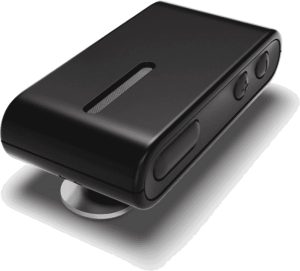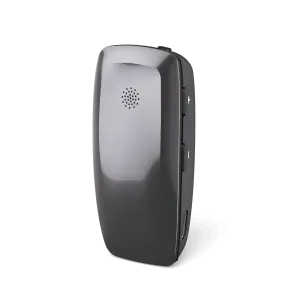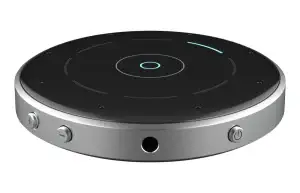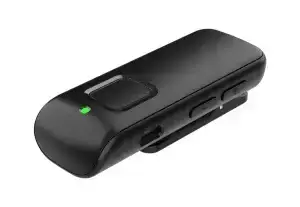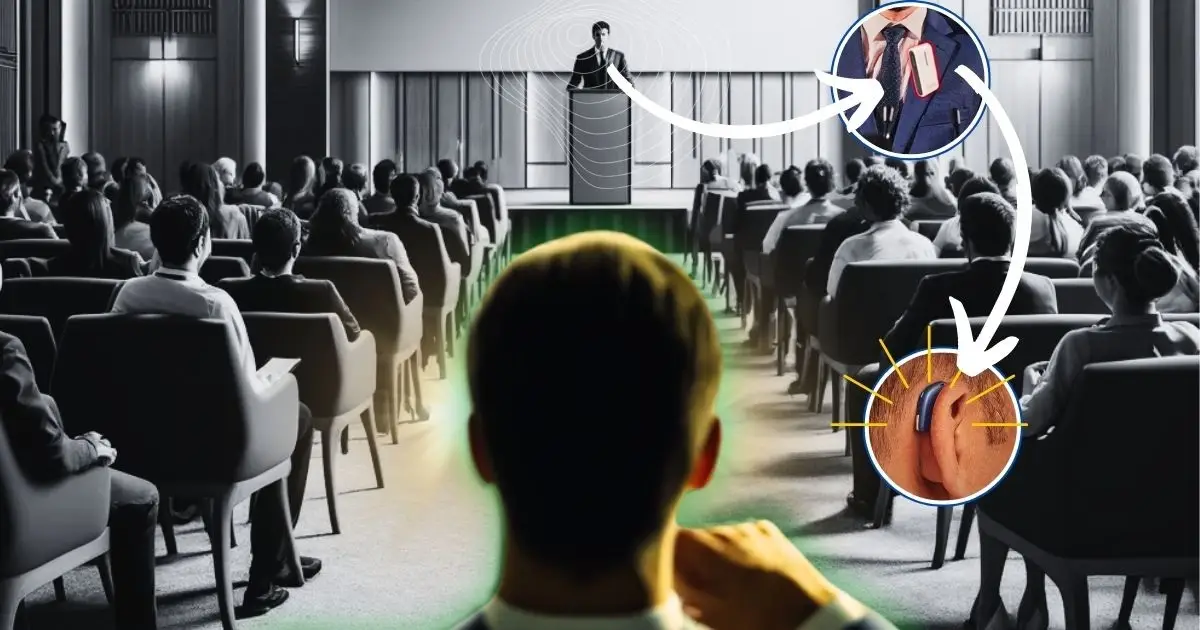
A remote microphone is the single most effective accessory for hearing in noise. Hearing aids work by amplifying everything within range of their microphones, which sit behind or in your ear, a meter or more from the person you are trying to hear, in a room full of competing sound. A remote microphone solves this by moving the pickup point to where it should be: 6 to 12 inches from the speaker’s mouth.
The physics are straightforward. When the microphone is close to the speaker, the signal-to-noise ratio improves dramatically. Research shows remote microphones can improve speech intelligibility in noise by more than hearing aids alone can achieve in the same environment. The voice arrives in your hearing aids cleanly, without the distance, reverberation, and competing sounds that your hearing aid microphones are fighting against.
How Remote Microphones Work
The speaker wears or holds the microphone, clipped to a collar, placed on a table, or held near their mouth. The microphone captures their voice and transmits it wirelessly and directly to the listener’s hearing aids using a proprietary Bluetooth or wireless protocol. The background noise stays in the background. The speaker’s voice arrives clearly regardless of how noisy the room is.
Remote microphones are brand-specific; a Widex Sound Assist streams only to Widex hearing aids, a ReSound Multi Mic+ streams only to compatible ReSound devices. There are exceptions for the Phonak Roger system, which can connect to non-Phonak devices through universal receivers, and for neck loop systems that use telecoils. But as a general rule: match the remote mic to your hearing aid brand.
Where Remote Microphones Make the Biggest Difference
- Restaurants: clip to your companion’s collar. Their voice streams directly over the background noise, clattering dishes, and music.
- Car conversations: clip to the driver’s headrest or collar. Road noise, fans, and the fact that you face forward all make car hearing difficult. The mic solves it.
- Meetings and conference rooms: place flat on the table in table mode. Most remote mics switch automatically to omnidirectional pickup, capturing multiple speakers.
- Places of worship: clip to the speaker’s lectern or have the speaker wear it. Long distances and reverberant acoustics make this one of the hardest listening environments.
- One-on-one in noise: anywhere you are having a conversation in a noisy environment, a party, a mall, or a sporting event.
- Phone as headset: most remote mics also pair to smartphones and function as a hands-free calling headset, streaming the call directly to both hearing aids.
Remote Microphones by Brand
Phonak: PartnerMic and Roger System
Phonak offers two remote microphone tiers for different needs:
- PartnerMic: the everyday remote mic for one-on-one situations. Clips to a partner’s collar. Streams up to 10 meters. Simple pairing, no app required for basic use. The practical choice for most adult everyday situations at a significantly lower price than Roger.
- Roger system: Phonak’s advanced wireless microphone ecosystem, designed for classrooms, multi-user group listening, and cochlear implant users. Roger On iN for versatile adult use with automatic mode detection. Roger Select for group tables. Touchscreen Mic for classrooms. Unlimited simultaneous hearing devices can pair to a single Roger microphone.
Shop Phonak PartnerMic | Roger system guide
For older Phonak, Unitron and other rebranded models, please shop the Phonak accessory guide.
ReSound: Multi Mic+
The ReSound Multi Mic+ is compatible with Auracast-ready ReSound hearing aids, Sensia, Vivia, Savi, and Nexia. It operates in three modes: clipped to a speaker for one-on-one use, laid flat for table conversations with multiple speakers, and paired to a smartphone as a hands-free headset.
- Range: up to approximately 25 meters.
- Table mode: automatic when placed flat, omnidirectional pickup for group conversations.
- Important: the classic ReSound Multi Mic (without the +) is discontinued. The Multi Mic+ is the current model and requires an Auracast-compatible ReSound hearing aid.
For older Resound models, please read the Resound accessory guide.
Widex: Sound Assist
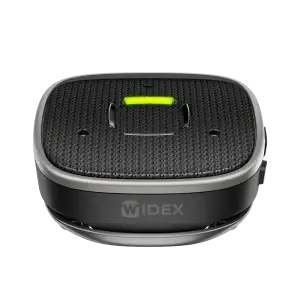
The Widex Sound Assist is a three-in-one device for Moment and Moment Sheer hearing aids, a remote microphone, Bluetooth audio streamer, and remote control in one compact unit. Table mode for group conversations, clip mode for one-on-one. Also functions as a Bluetooth headset for calls.
- Compatible with: Widex Moment and Moment Sheer only. NOT compatible with Widex Allure.
- Battery: use the correct 5.0V charger only.
Starkey: Remote Microphone+
The Starkey Remote Microphone+ streams directly to compatible Omega AI and Edge AI hearing aids. Clip-on design for one-on-one conversations and table use. Designed to work within the Thrive app ecosystem.
For older Starkey and rebranded models, review our full Starkey accessory guide.
Shop Starkey Remote Microphone+
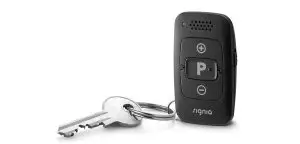
Signia: StreamLine Mic
The Signia StreamLine Mic clips to a speaker’s clothing or sits on a table for group conversations, streaming directly to compatible Signia IX and AX platform hearing aids. Also functions as a Bluetooth audio streamer for smartphones. The MaX is not compatible with the Streamline mic.
Microphone Placement: The Most Important Tip
Where you place the microphone determines how well it works. The goal is 6 to 12 inches below the speaker’s mouth:
- Clip it to the speaker’s lapel or shirt collar — NOT on yourself
- Keep it away from scarves, hair, and jackets that can muffle it or cause rubbing noise
- Keep it away from jewelry that causes contact noise when the speaker moves
- For table use, place it centrally and away from fans, open windows, and noisy objects
- In a car, clip to the headrest near the driver rather than the dashboard
A common mistake: wearing the remote mic on yourself. The mic captures whatever is closest to it. If it is on you, it picks up your own voice and ambient noise rather than the speaker you want to hear. The mic always goes on the person you are listening to.
Practical Tips for Getting the Most Out of a Remote Mic
- Explain it simply: many people feel self-conscious wearing a mic at first. A short explanation helps: ‘This small mic streams your voice directly to my hearing aids so I can hear you clearly in the noise. It helps a lot.’ Most people are immediately willing.
- Warn them about the range: if the speaker wearing the mic walks away, their voice will still stream to your hearing aids from wherever they are. Patients have overheard conversations in restaurants when the server walked away wearing the mic. Worth mentioning.
- Charge nightly: like hearing aids, remote mics need consistent charging. Get in the habit of putting both in their chargers together each night.
- Practice at home first: try the mic in a quiet environment to learn how it sounds before using it in the noisy situations it is meant for.
Frequently Asked Questions: Remote Microphones
What is the difference between a remote microphone and a Roger system?
Both transmit a speaker’s voice to hearing aids, but they serve different needs. A standard remote microphone, Phonak PartnerMic, ReSound Multi Mic+, Widex Sound Assist, creates a connection between one microphone and one pair of hearing aids, at ranges up to 10 to 25 meters. The Phonak Roger system allows unlimited hearing devices to connect to a single Roger microphone simultaneously, includes advanced features like automatic mode detection and classroom integration, and has a higher cost. For most adult one-on-one and restaurant use, a standard remote mic is the practical choice. Roger’s cost premium is most justified for classrooms, cochlear implant users, and situations where multiple listeners need simultaneous access.
Will any remote microphone work with my hearing aids?
No. Remote microphones use proprietary wireless protocols and are brand-specific. A Widex Sound Assist only works with Widex Moment or Moment Sheer. A ReSound Multi Mic+ only works with compatible ReSound hearing aids. Confirm your hearing aid brand and model before purchasing any remote microphone. Contact Hears Hearing & Hearables for compatibility confirmation.
Is the ReSound Multi Mic still available?
The classic ReSound Multi Mic is discontinued. The current model is the ReSound Multi Mic+, which requires an Auracast-compatible ReSound hearing aid, Sensia, Vivia, Savi, or Nexia. If you have an older ReSound hearing aid that used the original Multi Mic, contact us to discuss compatibility options.
How far away can the speaker be from the microphone?
The mic needs to be close to the speaker’s mouth — 6 to 12 inches is the recommended placement for best results. The wireless transmission range from the mic to your hearing aids is separate and much longer (10 to 25 meters, depending on the model). The mic-to-mouth distance is the critical factor for sound quality, not the mic-to-hearing-aid distance.
Can a remote microphone also be used for phone calls?
Yes. Most current remote microphones also function as Bluetooth headsets when paired to a smartphone. The call audio streams to both hearing aids simultaneously while the microphone captures your voice for the other person. This gives you the same benefit as any Bluetooth headset, hands-free calling, but through your programmed hearing aids rather than a generic earbud.