Widex hearing aids extend well beyond the devices themselves. Remote microphones, TV streamers, remote controls, and Bluetooth streamers expand what your hearing aids can do in specific situations. This guide covers every current Widex accessory, which hearing aids each works with, and which legacy accessories have been discontinued or superseded.
Compatibility is the most important thing to confirm before purchasing any Widex accessory. The accessory lineup changed significantly with the introduction of the Allure platform.
COMPATIBILITY CRITICAL: Allure and Moment use different accessories for some functions. The Sound Assist is Moment-only. The original TV Play is Moment-only. The TV Play 2 is the current model compatible with Allure and Moment, but cannot be used simultaneously by both in the same household. Confirm your hearing aid platform before purchasing any accessory.
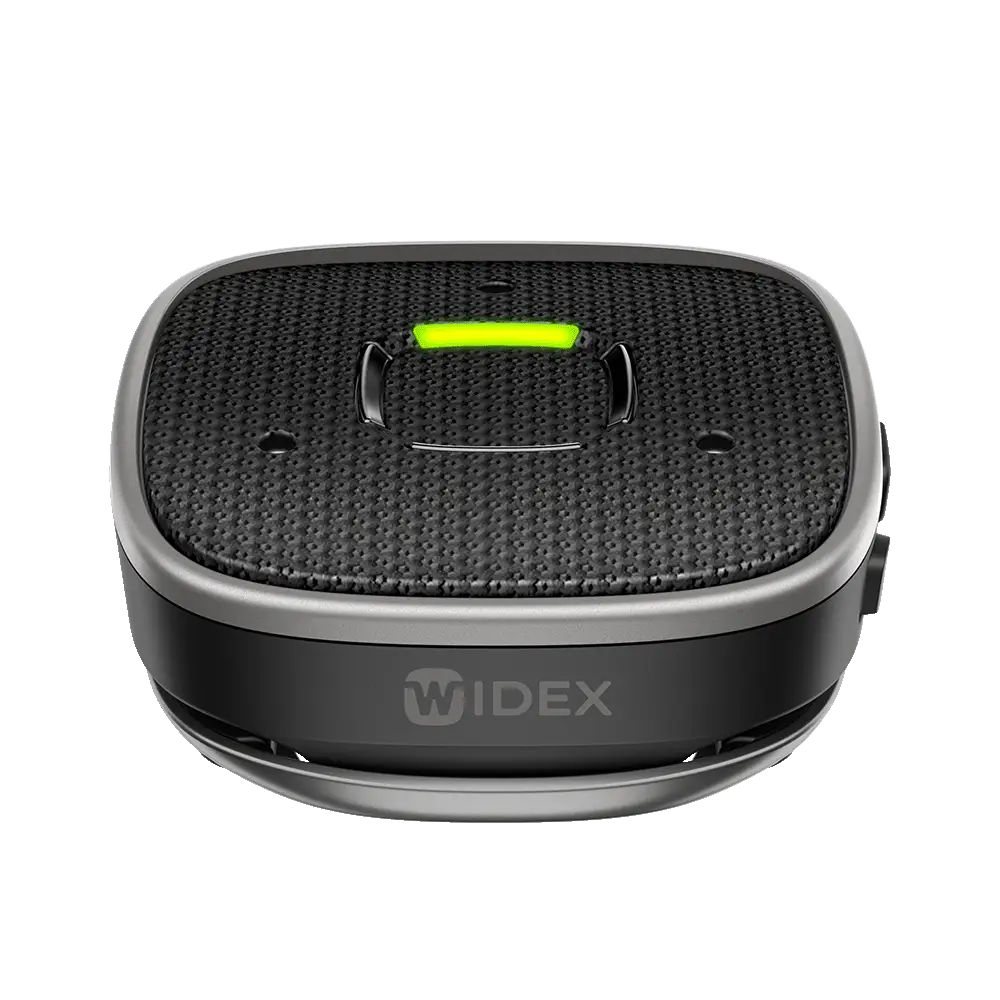
Sound Assist: Remote Mic, Bluetooth Streamer, and Remote Control
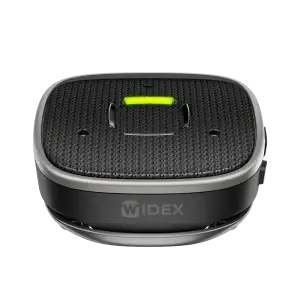
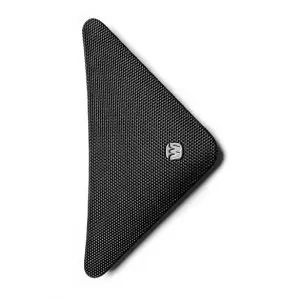
The Sound Assist is the current flagship Widex accessory for Moment and Moment Sheer hearing aids. Three functions in one compact device.
Remote Microphone Mode
Place the Sound Assist near a sound source or have a conversation partner wear it and their voice streams directly to your hearing aids. Press the power button to activate remote mic mode. In a restaurant, clip it to your companion. In a meeting, place it on the table, it automatically detects table mode and adjusts to pickup from multiple directions.
Bluetooth Streaming Mode
Pair the Sound Assist to a smartphone, tablet, or any Bluetooth device and stream audio directly to your Moment hearing aids. Music, phone calls, podcasts, navigation. Call quality through the Sound Assist is exceptional on both ends, the person you are speaking with hears improved clarity through the Sound Assist microphone.
Remote Control Mode
Adjust volume, mute, change programs, and control playback without touching the hearing aids or opening the app. Discreet and immediate.
- Compatible with: Widex Moment and Moment Sheer hearing aids only.
- NOT compatible with: Widex Allure. The Allure uses a different Bluetooth LE Audio architecture.
- Battery: use the correct 5.0V charger only, using incorrect voltage causes charging problems and reduces battery life.
TV Play 2: Television Audio Streaming
The TV Play 2 is the current Widex TV streamer, compatible with both Allure and Moment hearing aids. It connects to the television and streams audio wirelessly and directly to the hearing aids. Each person in the room hears the TV through the speakers at their preferred volume. You hear it in your hearing aids at yours. Hears Hearing & Hearables now only carrys the TV Play 2.
- Setup: plug into the TV via optical, RCA, or 3.5mm cable and connect to power. Pair to hearing aids. Bracket included for mounting behind the TV.
- Allure pairing: switch the TV Play 2 to LE Bluetooth mode for Allure hearing aids.
- Moment pairing: standard pairing mode for Moment hearing aids.
Allure and Moment hearing aids cannot use the same TV Play 2 simultaneously because they use different Bluetooth pairing modes. If two household members use different Widex platforms, they cannot share one TV Play 2.
Shop Widex TV Play 2
RC-DEX: Physical Remote Control
The RC Dex is a compact physical remote control for patients who prefer tactile buttons over smartphone app control. Adjusts volume and switches programs. 12-month battery life. Compatible with Allure, Moment, and any prior platform hearing aids.
Com-Dex: Bluetooth Neck Loop Streamer
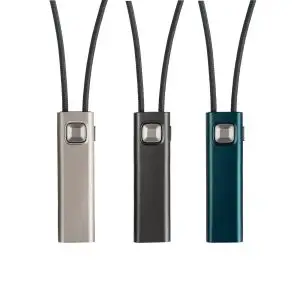
The Com-Dex is a Bluetooth neck loop streaming device for compatible Widex hearing aids. It streams audio from smartphones, tablets, and other Bluetooth sources directly to the hearing aids while worn around the neck, no ear-level Bluetooth required on the hearing aids themselves.
- Bluetooth streaming: pair to any Bluetooth-enabled phone or device for hands-free calls and audio. Connect to two phones simultaneously — useful for patients with a personal and work phone.
- Remote control: adjust volume, change programs, and mute directly from the Com-Dex without touching the hearing aids or opening an app.
- Microphone: built-in microphone for hands-free calling. The Com-Dex functions as the call microphone so the phone stays in the pocket.
- Battery: charge via USB. Up to 8 hours of streaming on a single charge.
The Com-Dex Mic, a separate clip-on remote microphone accessory that worked alongside the Com-Dex, has been discontinued. The Com-Dex itself remains available. For Moment hearing aid users, the Sound Assist offers a more compact three-in-one alternative that includes remote mic, Bluetooth streaming, and remote control in a single smaller device. The Com-Dex remains a valid choice for compatible older Widex platforms where the Sound Assist is not supported.
- Compatible with: Widex hearing aids with Com-Dex compatibility, confirm with your hearing aid model. Not compatible with Allure.
- Com-Dex Mic: discontinued, no longer available.
SoundConnect Dongle: Computer Audio Streaming
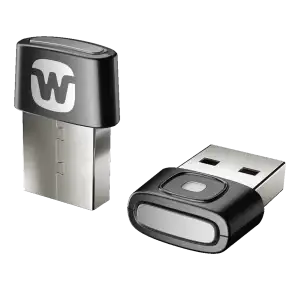
The Widex SoundConnect is a USB dongle that plugs into a computer and streams audio wirelessly and directly to compatible Widex hearing aids. For patients who spend significant time at a computer, conference calls, video meetings, streaming media, or working from home, it eliminates the need to use speakers or earbuds alongside hearing aids by making the computer audio come through the hearing aids themselves.
SoundConnect is compatible with Widex Moment and SmartRIC hearing aids only. It is NOT compatible with Widex Allure hearing aids. Also NOT compatible with Widex Moment 10 or Moment Custom models within the Moment line.
Compatible Hearing Aids
How to Set Up
- Insert the SoundConnect dongle into your computer’s USB-A port
- Restart your hearing aids to initiate pairing
- Hold the SoundConnect button until the blue light flashes
- Keep the hearing aids within 1.5 meters of the dongle
- A solid green light confirms the connection is active
Troubleshooting
- USB-C computer: if your computer has USB-C ports only, you will need a USB-A to USB-C converter, not included.
- Pairing issues: if the hearing aids will not pair to the dongle, turn Bluetooth off on your smartphone first, then attempt pairing again. The hearing aids can only maintain a limited number of active Bluetooth connections simultaneously. Once finished with the dongle, you can turn smartphone Bluetooth back on and use it normally.
- Widex support: if pairing issues persist, Widex’s consumer support line is 844-497-8844.
The SoundConnect works alongside the Widex Moment and Magnify apps, allowing fine-tuned sound settings for computer audio specifically, helpful for patients who want different amplification profiles for video calls versus media streaming versus everyday listening.
Phone-DEX II: Dedicated Phone Streamer for Both Ears
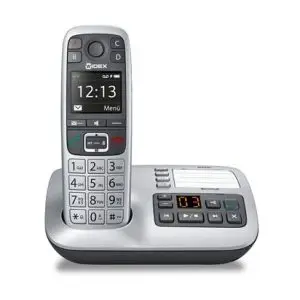
For patients who struggle most with telephone calls, the Phone-DEX II, a land phone, solves a specific problem that a general-purpose Bluetooth streamer does not always address as cleanly: delivering a phone call directly into both hearing aids simultaneously, with no neck loop, no smartphone required.
The Phone-DEX II land phone is a base unit that sits on a desk or nightstand and connects to a landline or cordless phone. When a call comes in, the audio streams wirelessly and directly into both Widex hearing aids at the same time, at volumes and frequencies calibrated for the wearer’s specific hearing loss programming. The result is significantly clearer telephone comprehension than either a speakerphone or a standard handset provides.
- Best for: patients with more significant hearing loss who find telephone calls consistently difficult even with hearing aids, those who rely heavily on landlines, and patients who want a permanent always-ready telephone solution without involving a smartphone.
- Both ears: the bilateral streaming is the key advantage over simply holding a phone to one ear, hearing loss affects spatial processing, and receiving the call in both hearing aids restores the full aided bandwidth.
- No smartphone required: the Phone-DEX II operates independently. It does not require Bluetooth pairing to a phone or any app. Patients who are not comfortable with smartphone technology find this appealing.
The Phone-DEX II is designed for older Widex platforms. Confirm compatibility with your specific hearing aid model before purchasing. Moment hearing aid users with telephone difficulty may find the Sound Assist in Bluetooth mode handles most call streaming needs. Contact Hears Hearing & Hearables if you are unsure which telephone solution fits your hearing aids.
Widex Remote Link: For Telehealth
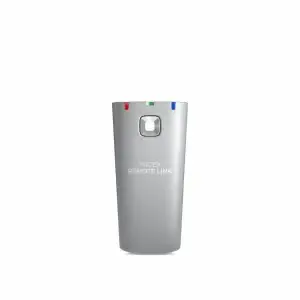
The Remote Link is required for Widex Telecare remote programming appointments. It is not an audio accessory, it is a communication device between the hearing aids and the Widex Telecare system used by audiologists for remote adjustments. Pairs to the Widex Remote Care app rather than to the hearing aids’ audio system directly.
- Compatible with: Moment and Moment Sheer only. Allure does not support telehealth.
- Setup: can be paired in-person at a clinic or remotely by mailing hearing aids to the provider.
Discontinued and Legacy Accessories
- Com-Dex mic (discontinued for new purchase): the Bluetooth neck loop streamer for older Widex platforms (Evoke and earlier). Superseded by the Sound Assist for Moment users. If you have a Com-Dex and it works, continue using it. For new purchases on Moment hearing aids, choose the Sound Assist instead.
- Original TV Play (no longer sold): compatible with Evoke and Moment hearing aids but not Allure. The TV Play 2 has replaced it and is now the only version available for purchase.
- Phone-DEX II: a dedicated Bluetooth phone connection device for older platforms. Ask your audiologist whether this is appropriate for your specific hearing aids.
- Uni-Dex (discontinued): legacy multi-function accessory, no longer in production.
- Z-Power batteries and charger (discontinued): Z-Power went out of business. If you have older Widex hearing aids with Z-Power rechargeable batteries, switch to standard size 312 zinc-air disposable batteries.
Frequently Asked Questions: Widex Accessories
Does the Sound Assist work with Allure hearing aids?
No. The Sound Assist is compatible with Widex Moment and Moment Sheer only. The Allure uses a different Bluetooth LE Audio architecture that is not compatible with the Sound Assist. Allure users who need remote microphone capability should contact their audiologist to discuss available options.
What is the difference between the original TV Play and TV Play 2?
The original TV Play is compatible with Evoke and Moment hearing aids only and is no longer sold. The TV Play 2 is the current model, compatible with both Allure (via LE Bluetooth mode) and Moment. Allure and Moment users cannot share the same TV Play 2 simultaneously due to different pairing methods.
Can I use my old Com-Dex with new Widex hearing aids?
The Com-Dex was designed for Evoke and earlier platform hearing aids. It is not compatible with Moment or Allure. For current Widex hearing aids, the Sound Assist replaces the Com-Dex for Moment users. Allure users should contact their audiologist for remote microphone options.
My Z-Power charger stopped working. What should I do?
Z-Power went out of business and their batteries and chargers are discontinued with no replacement parts available. If your older Widex hearing aids used Z-Power rechargeable batteries, switch to standard size 312 zinc-air disposable batteries. These are widely available and will keep the hearing aids functioning.