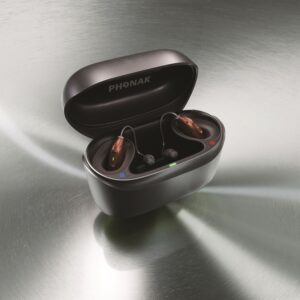
Phonak hearing aids do more than amplify sound from the microphones on the device. With the right accessories, they stream TV audio directly, function as wireless headphones for phone calls and media, receive speech from a partner across the room, and give you physical controls without touching the hearing aids themselves.
This guide covers every standard Phonak accessory, the ones that are not Roger. For the Roger system, which is designed for classrooms and multi-user group listening, see our full Roger guide.
The myPhonak App: The Foundation of Phonak Connectivity
Before covering individual accessories, it is worth understanding the myPhonak app because it is the control center for the entire Phonak ecosystem. The app connects to Phonak hearing aids via Bluetooth and provides:
- Volume and program control: adjust hearing aid settings directly from your phone without touching the devices.
- Hearing care remote support: your audiologist can connect to your hearing aids during a live session and make real-time adjustments through the app.
- Health and usage data: tracks steps, active listening hours, and wearing time. Provides data your audiologist can review to optimize your fitting.
- Acoustic Environment Analyzer: identifies where you are spending time and how your hearing aids are performing in those environments.
- Streaming controls: manage TV Connector, PartnerMic, and other accessory connections from within the app.
The myPhonak app is compatible with Apple devices running iOS 13.0 or newer and Android devices running 7.0 or newer with Bluetooth 4.2 or higher. Download from the Apple App Store or Google Play.
TV Connector: TV Audio Directly in Your Hearing Aids
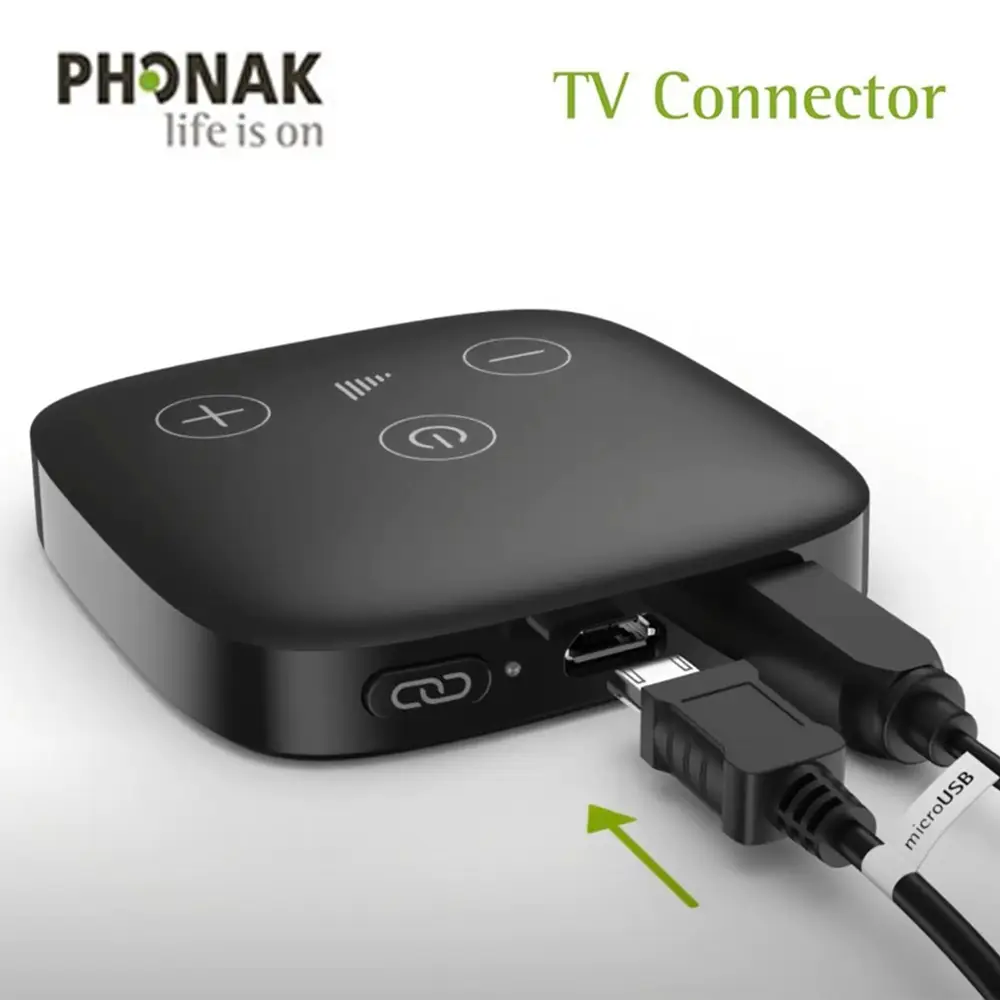
The TV Connector plugs into your television and streams audio wirelessly and directly to your Phonak hearing aids. Each person in the room hears the TV through the speakers at whatever volume works for them. You hear it directly in your hearing aids at your preferred volume. The volume argument that becomes routine in households with hearing loss simply stops.
How to Set Up the TV Connector
- Plug the TV Connector into a wall outlet via USB and connect it to your TV using an optical cable, RCA cables, or 3.5mm jack depending on your TV’s available outputs
- Put your Phonak hearing aids in pairing mode by opening and closing the battery doors or placing rechargeable aids in the charger and removing them
- Place the hearing aids on top of the TV Connector for approximately 30 seconds to pair
- Remove the hearing aids and place them in your ears. Streaming begins automatically when you are within range
- TV Connector range: approximately 15 meters (49 feet) line of sight. You can move around the room and maintain the connection.
- Multiple users: up to four pairs of Phonak hearing aids can pair to the same TV Connector simultaneously. Each listener controls their own volume independently.
- Auto-resume: when a phone call comes in, TV streaming pauses and resumes automatically after the call ends.
Shop the Phonak TV Connector Here
PartnerMic: Hear One Person Clearly in Noise
The PartnerMic is a compact clip-on microphone that your conversation partner wears. Their voice transmits directly to your Phonak hearing aids via Bluetooth, bypassing distance and background noise. It is the most practical remote microphone for everyday adult use, simpler and significantly less expensive than a Roger setup for one-on-one situations. Unitron also has a mic.
Where the PartnerMic Changes the Listening Experience
- Restaurants: your dining companion clips the mic to their collar. Their voice arrives directly in your hearing aids at a comfortable level while kitchen and ambient noise stays ambient.
- Car conversations: clip to the driver’s visor or collar. Hear the driver clearly without straining or asking them to repeat.
- Home conversations: hear a partner speaking from another room or while their back is turned, without needing them to raise their voice.
- Medical appointments: place near the doctor. Every word streams clearly in a clinical environment where background sounds can interfere.
- Range: up to 10 meters from the hearing aids.
- Battery life: approximately 8 hours on a single charge via micro-USB.
- Pairing: pairs to Phonak hearing aids directly. No app required for basic use, though the myPhonak app allows streaming volume adjustment.
Shop the Phonak PartnerMic Here
RemoteControl: Physical Buttons for Those Who Prefer Them
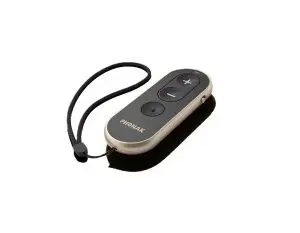
The myPhonak app gives smartphone users discreet hearing aid control. For patients who prefer tactile physical buttons — or who do not use a smartphone — the RemoteControl provides the same volume and program adjustment in a compact device that fits in a pocket or purse.
- Volume up/down: adjust amplification level without touching the hearing aids.
- Program switching: cycle through listening programs set up by your audiologist, quiet environment, speech in noise, music, TV streaming, and others.
- Battery indicator: status display shows the hearing aid battery level.
The RemoteControl is particularly useful for patients with limited dexterity who find manipulating hearing aid buttons difficult, patients in situations where pulling out a smartphone is not practical, and patients who simply prefer a dedicated physical control over an app.
Shop the Phonak RemoteControl Here
Roger vs PartnerMic: When to Choose Which
Both the PartnerMic and the Roger Clip-On Mic transmit a speaker’s voice to Phonak hearing aids. The right choice depends on the situation:
- PartnerMic: the right choice for most one-on-one adult situations. Simpler to use, significantly less expensive, covers restaurants, car conversations, and home listening. Does not require audiologist programming.
- Roger Clip-On Mic: the right choice when longer range is needed (up to 20 meters vs 10 for PartnerMic), when the user also needs access to Roger’s multi-user classroom capabilities, or when the listener has a cochlear implant requiring Roger’s stronger signal processing.
Most adults who want a remote microphone for everyday one-on-one use will find the PartnerMic fully adequate at a much lower price point than Roger. Roger’s cost premium is most justified for educational settings, cochlear implant users, and situations requiring multiple simultaneous listeners.
Phonak Accessory Compatibility: Which Aids Work With Which Accessories
All standard Phonak accessories, TV Connector, PartnerMic, and RemoteControl, are compatible with current Phonak Infinio, Lumity, and Paradise platform hearing aids. For older platforms, including Marvel and Belong, confirm compatibility with your specific model.
Phonak accessories are designed for Phonak hearing aids and are not compatible with Unitron hearing aids for audio streaming, even though both brands share the Sonova platform. The accessory ecosystem is brand-specific. Unitron users should confirm Unitron-compatible accessories separately.
The Sonova Vertical Chain: What It Means for Accessories
Phonak is owned by Sonova, which also owns Unitron. Kirkland Signature hearing aids at Costco are often built on the Sonova/Unitron platform. If you have Unitron or Kirkland Signature hearing aids, check with your provider, us or Unitron directly before purchasing Phonak accessories; the streaming ecosystem differs between the brands even on the same underlying platform.
Not sure which Phonak accessories are compatible with your specific hearing aids? Contact Hears Hearing & Hearables with your hearing aid model and we can confirm before you purchase.
Frequently Asked Questions: Phonak Accessories
What is the Phonak TV Connector and how does it work?
The TV Connector plugs into your television’s audio output and streams TV audio wirelessly and directly to compatible Phonak hearing aids. Up to four pairs of hearing aids can pair to the same TV Connector simultaneously, with each listener controlling their own volume independently. Setup takes about two minutes and requires placing the hearing aids on top of the connector briefly to pair.
What is the difference between the PartnerMic and a Roger microphone?
Both transmit a speaker’s voice directly to Phonak hearing aids, but they serve different needs. The PartnerMic is a simpler, less expensive accessory designed for one-on-one conversations at ranges up to 10 meters. Roger microphones are more sophisticated, cover up to 20 meters, allow unlimited simultaneous listeners, and include advanced features like automatic speaker detection and classroom integration. For most adult everyday use, the PartnerMic is the practical choice. Roger is most justified for educational settings, cochlear implant users, and multi-listener group situations.
Do I need the myPhonak app to use Phonak accessories?
No. The TV Connector, PartnerMic, and RemoteControl all function without the myPhonak app. The app adds convenience — streaming volume adjustment, program control, and access to remote care — but the accessories work independently. The RemoteControl is specifically designed for patients who prefer not to use a smartphone app.
Can I use Phonak accessories with my Android phone?
Yes. Phonak hearing aids use Bluetooth Classic (SWORD chip) which provides universal connectivity to both iPhone and Android phones without requiring ASHA or MFi compatibility. The myPhonak app is available for both iOS and Android. Phonak’s universal Bluetooth connectivity is one of its strongest differentiators from other hearing aid brands.
Do Phonak accessories work with Unitron hearing aids?
Phonak accessories including the TV Connector and PartnerMic are designed for Phonak hearing aids and are not compatible with Unitron hearing aids for audio streaming, even though both brands share the Sonova platform. Unitron users should check with their provider or Unitron directly for compatible accessories.
Which Phonak accessories are compatible with the current Infinio platform?
The TV Connector, PartnerMic, and RemoteControl are all compatible with current Phonak Infinio and Infinio Sphere hearing aids. Roger microphones with RogerDirect are also compatible. The myPhonak app connects via Bluetooth for full remote control and remote care capability. Contact us if you have an older Phonak platform and want to confirm accessory compatibility.
💙